Who is at work
A list of everyone currently at work, with their clock-in time and the time clock they used. Next to it, the people who have already left, with the hours they worked that day.

A time recording system that gives you a payroll-ready summary at the end of every month. Employees clock in and out with a card on an Anviz time clock. The system works out their hours using your company’s rules, including overtime and leave, and allows for the clocks going forward and back.
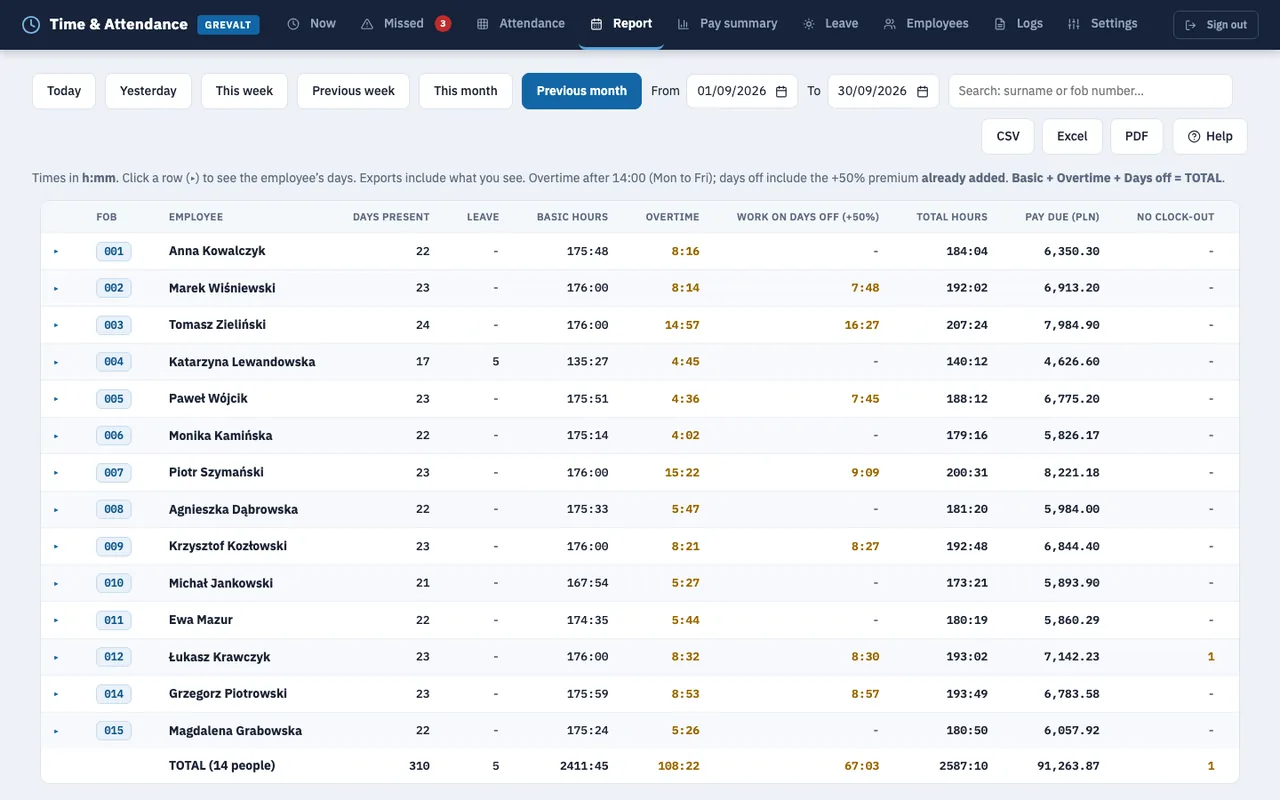
Monthly report. The data on the screen is sample data.
A time clock only records who clocked in or out, and when. The portal turns that into working hours, calculated using your company’s rules, and shows you where anything is missing.
A list of everyone currently at work, with their clock-in time and the time clock they used. Next to it, the people who have already left, with the hours they worked that day.
The time from which hours are counted, when overtime starts, the premium for Saturdays, Sundays and public holidays, and the standard hours for each day of the week. Polish public holidays are already built into the portal.
Days with a missing clock-in or clock-out are gathered on one list. You enter the missing time with a note, for example from CCTV footage, and the entry is always marked “manual”.
A two-week grid showing each employee’s hours worked, absences on working days, leave and sick leave. Leave is counted on working days only.
For a day, a week, a month or any date range: basic hours, overtime, work on days off with the premium, and total hours. The portal uses the hourly rate to work out the pay due.
Times are always shown in Polish time. The portal handles the clock changes itself, so there is no need to reset the dates in the time clock admin panel every year.
Portal screens with data from a sample warehousing company: shifts start at 6:00, overtime begins after 14:00 and Saturdays are paid at a 50% premium.
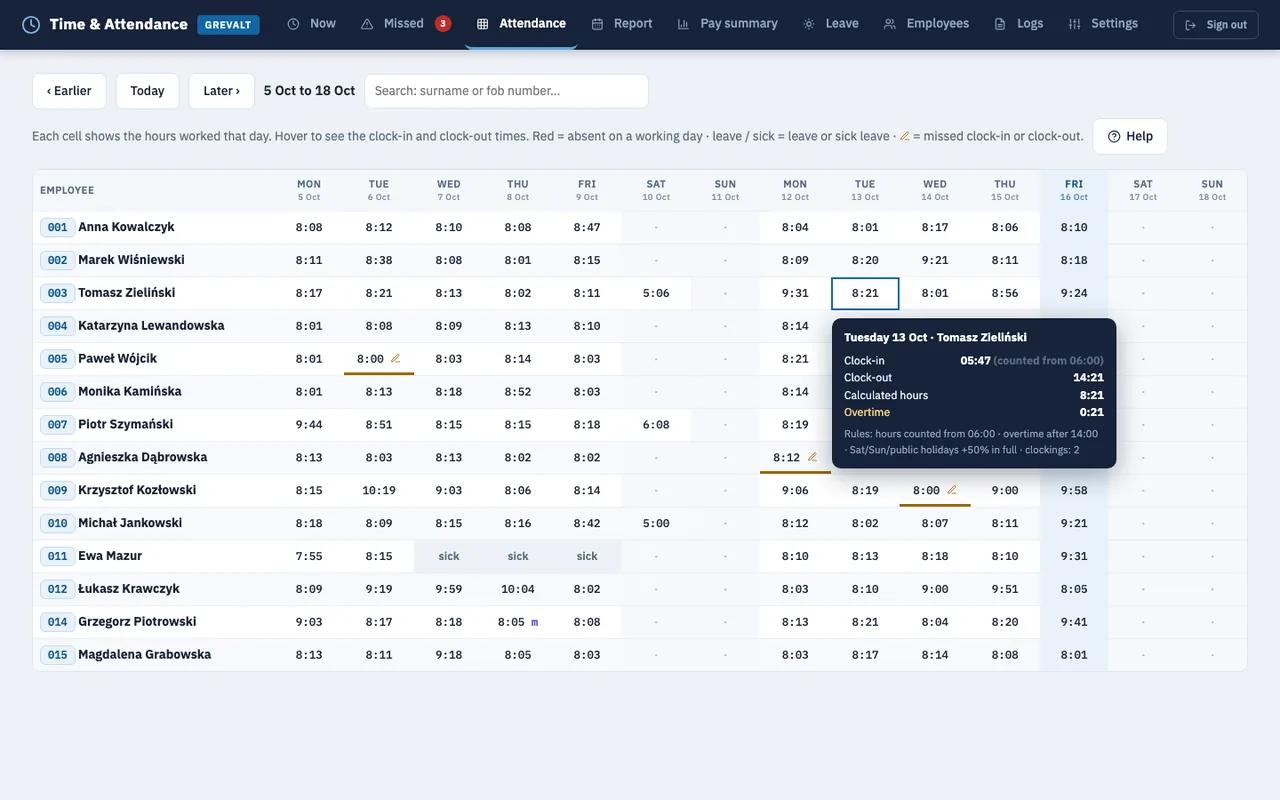
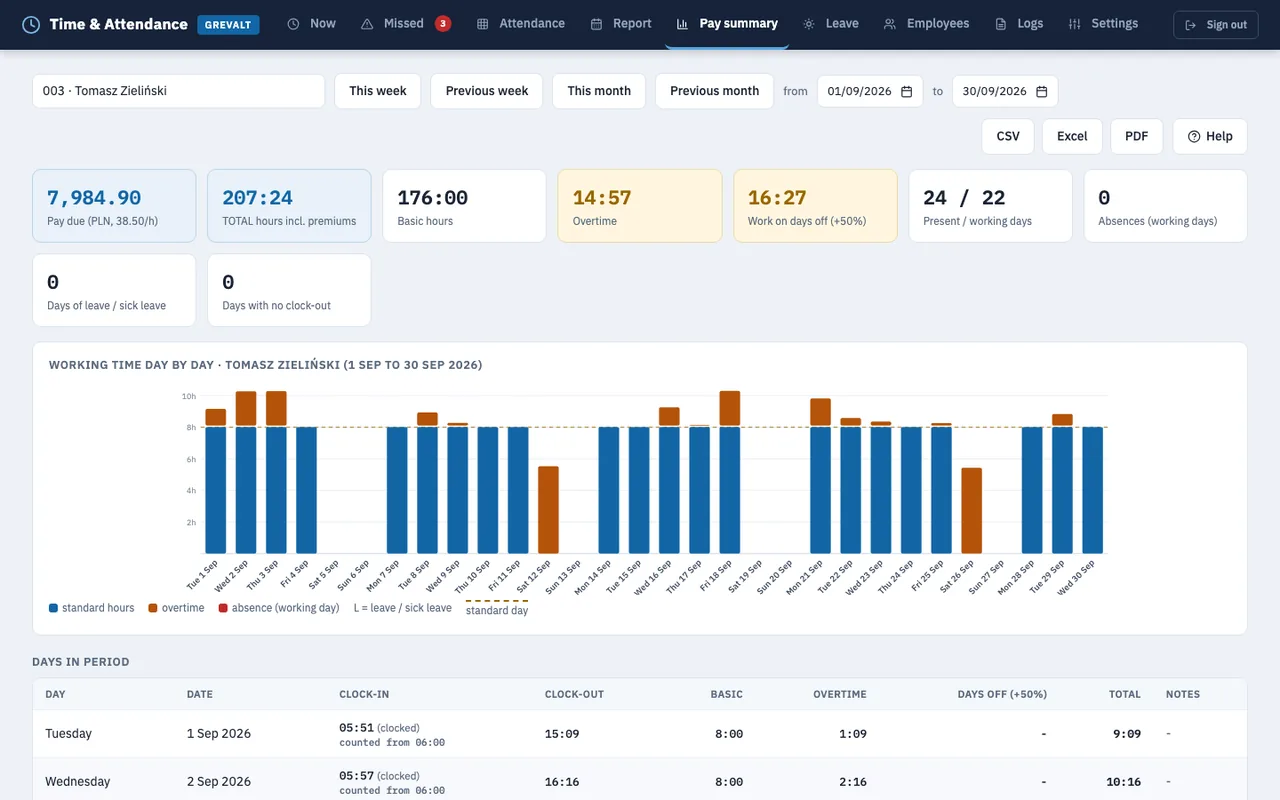
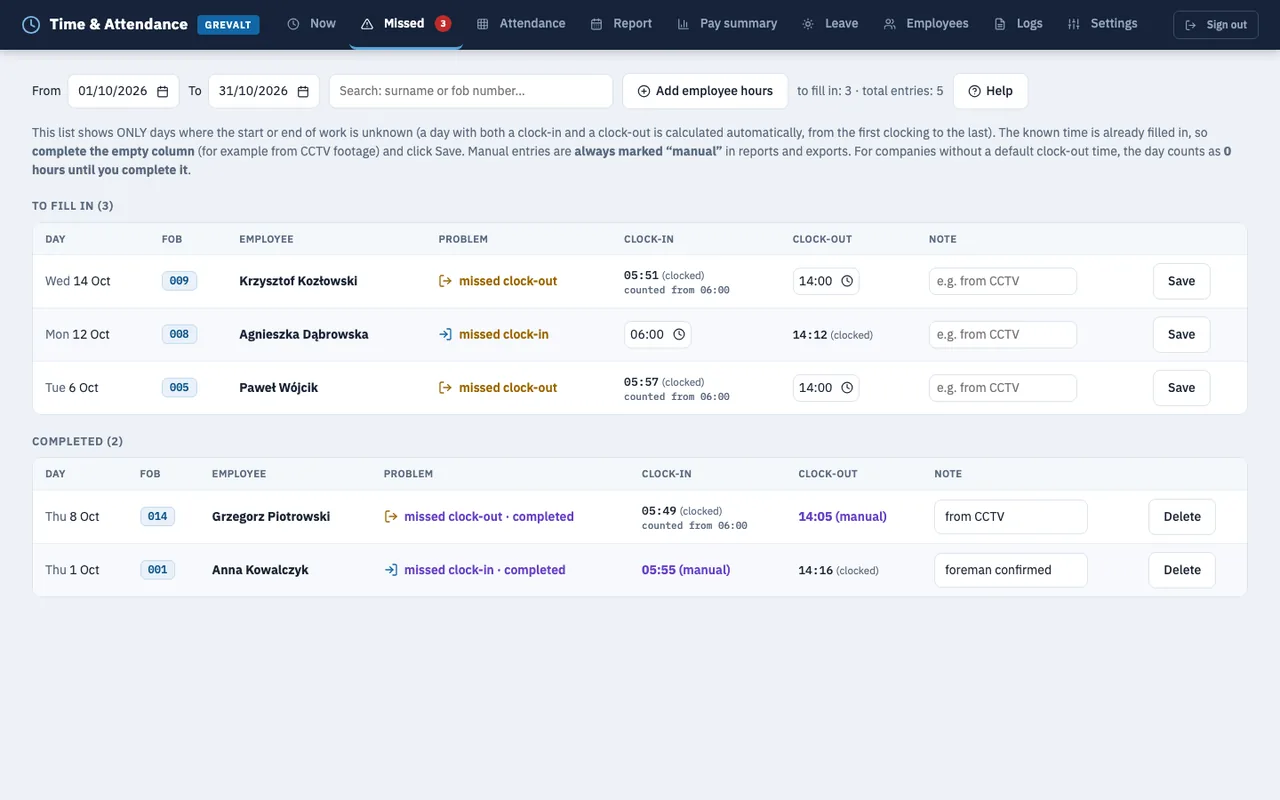
The same portal, laid out for a phone. The menu folds away behind a button, tables scroll sideways, and missed clock-ins and the employee list appear as tiles.
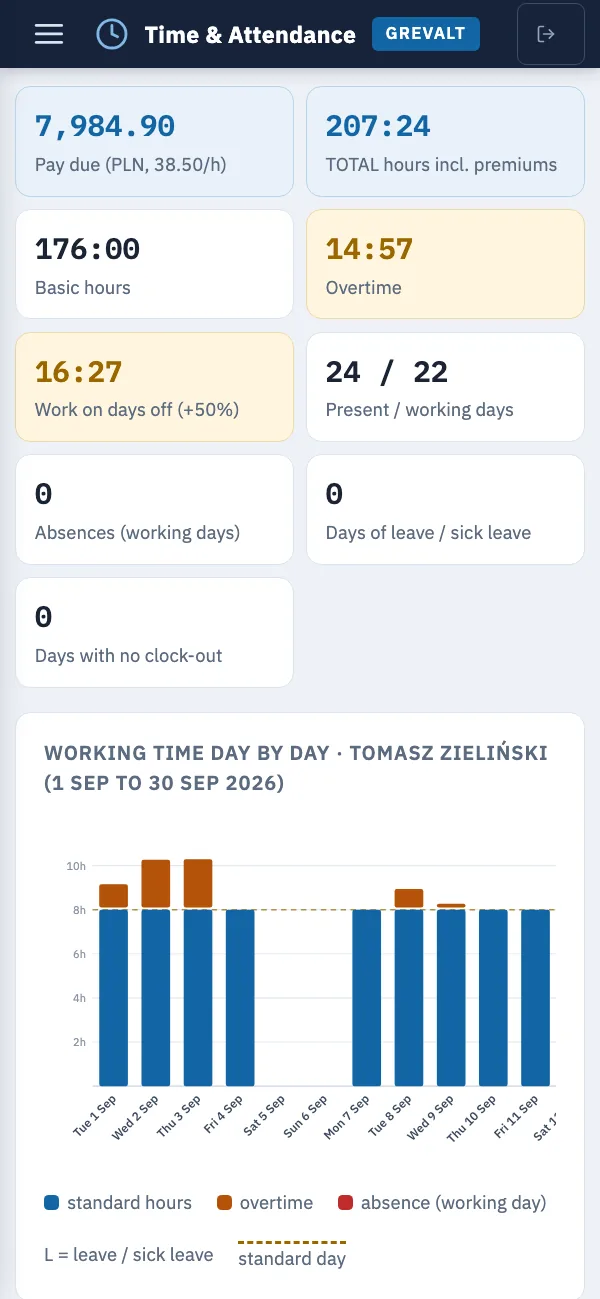
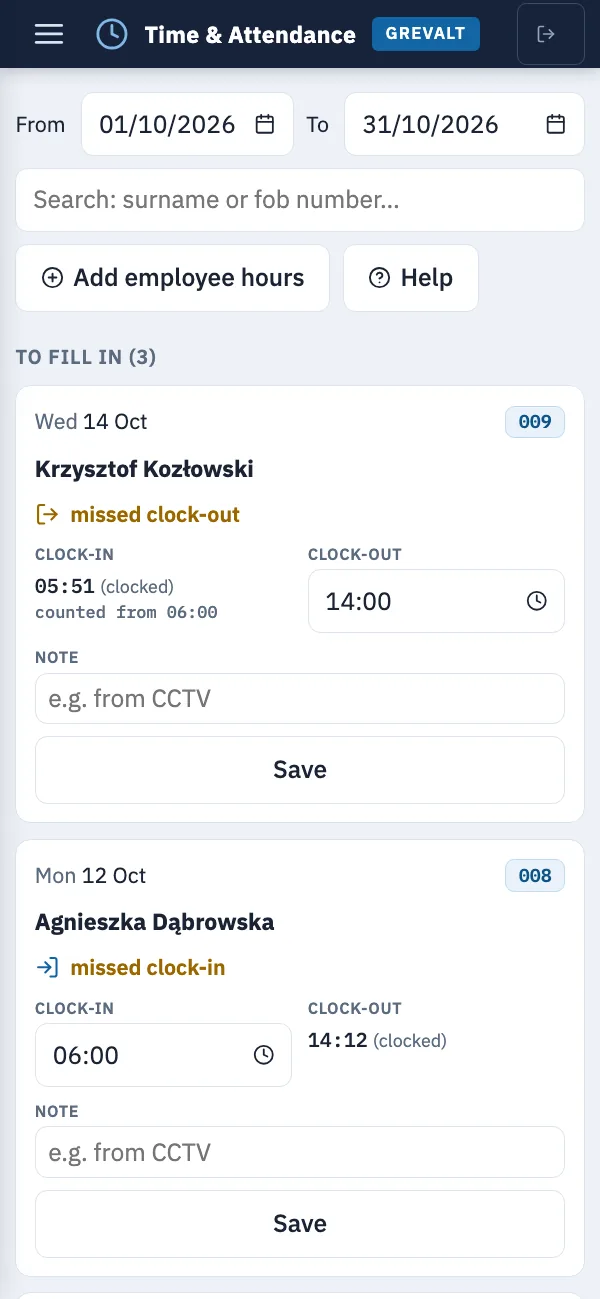
The data on the screens is sample data. The system works in English and Polish, and we can provide any other language you need.
We use Anviz time clocks that work with the manufacturer’s cloud service, CrossChex Cloud. The portal pulls every clocking from it: who, when and on which time clock. However an employee is identified, hours are calculated the same way.
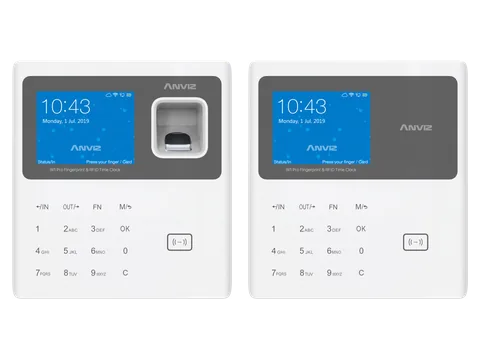
EM 125 kHz card and password, plus fingerprint on the W1 Pro · Wi-Fi and LAN · CrossChex Cloud
Manufacturer’s page: W1 ProW1C Pro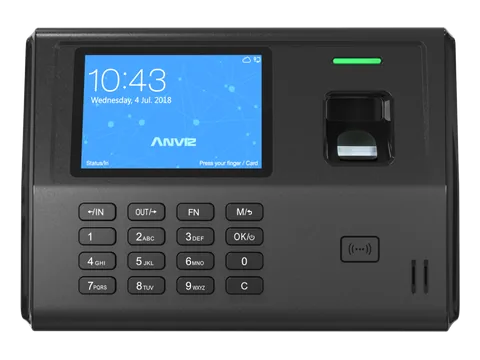
Fingerprint, EM 125 kHz card, password · LAN, Wi-Fi on the EP300 Pro WiFi model
Manufacturer’s page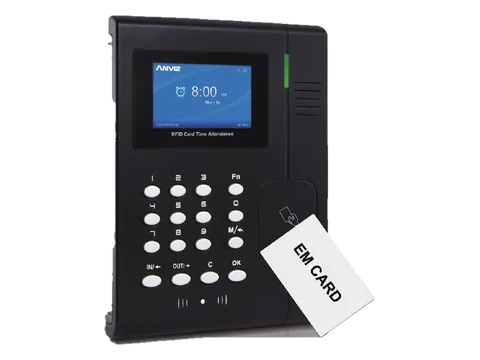
EM card (MIFARE optional), ID number with password, card with password · LAN
Manufacturer’s catalogue (PDF)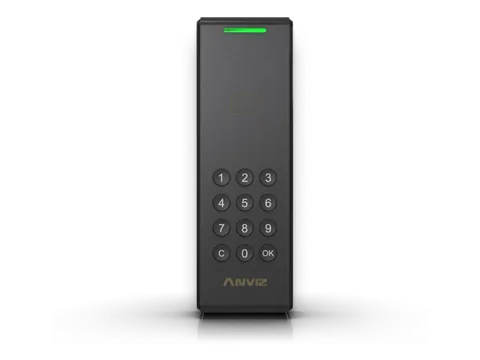
For outdoor use, IP65 housing · EM and MIFARE card, password · Wi-Fi, LAN, PoE
Manufacturer’s pageand other Anviz time clocks compatible with CrossChex CloudPhotos: Anviz
Employees tap a numbered fob when they arrive and when they leave. This is how Anviz time clocks such as the W1C currently work at our clients’ sites.
Employees enter their ID number and password on the time clock’s keypad.
The time clock identifies the employee by their fingerprint.
The time clock recognises the employee by their face.
For example, card plus password, or fingerprint plus card, when a clocking needs two forms of verification.
All of a company’s time clocks run on one CrossChex Cloud account. Every clocking shows which time clock recorded it.
We support all Anviz time clocks that work with CrossChex Cloud. Methods marked “Depends on model” are available on time clocks fitted with the right reader or camera; the manufacturer publishes the list of models. CrossChex Cloud and Anviz are brands of the time clock manufacturer, not of ETASK Company. Manufacturer’s website: anviz.com.
Tell us what you need and we will reply within 24 hours.
ETASK Company sp. z o.o.
ul. Henryka Sienkiewicza 36/5, 26-600 Radom, Poland
Tax ID (NIP): 9482644343
 ETASKinstallation and field service · etask.com.pl